If you ever wanted to serve big or many files through PHP and needed to check permissions or do any other calculation upfront file delivery, you might want to think about an Apache module called mod_xsendfile. With it you’re able to separate permission checks and other script related stuff from the slow part of file delivery in which PHP is not best at.
And getting it up and running is pretty simple.
a2enmod xsendfile
apache2ctl restart
Now, in your virtual host configure your host to pick up the module and maybe define a folder wich the module is allowed to send files from.
#enable the module for your host
XSendFile On

#define a white list folder outside your DocumentRoot
XSendFilePath /some/path/outside/my/docroot
That’s it on the Apache side of things.
Now, simply tell Apache to handle the file transfer itself in your script. This is done by sending the X-Sendfile-Header. No more needs to be done. No file reading, nothing. The whole delivery is being delegated to Apache.
//some code to check permissions, get the file name, rescue the world or whatever
//...
header('X-Sendfile: '.$absolute_path_to_file);
header ('Content-Type: application/octet-stream');
header ('Content-Disposition: attachment; filename='.$some_file_name );
exit();
And that’s it. Now all your validation stuff will be done by PHP while file delivery is done by Apache.
I recently needed to add several buttons to a UINavigationItem in my iOS 6 app. All documentation I found only spoke about the standard buttons on a UINavigationItem which are backBarButtonItem, leftBarButtonItem and rightBarButtonItem. Well, not enough for me: I needed 2 buttons to be displayed on the left side of my navigation.
After hours of searching, reading and trying I found this. Maybe somebody else might need it, too:
I recently came across a testing framework called Robot. It allows easy creation of test tables using a simple keyword-driven syntax. The test-cases are stored in simple CSV/TSV files which allow easy creation by even non-technical staff. A really nice feature is a test library for Selenium which may be installed along Robot. This makes testing web GUIs (HTML and according to the docs Flash/Flex) a treat. You may use another library called Ride to maintain, edit and run tests from a nice and simple GUI or you might consider using command line tools to integrate Robot into CI tools.
Robot Framwork and Selenium- test automation
Installing Robot, Ride and Selenium
This is a description and basic tutorial to install Robot on a Ubuntu machine. To install a web-test setup for Robot do the following: 1. Refer to the following sites and download the latest versions:
2. Extract and Copy: Once downloaded, extract and copy all folders to a folder called e.g. /opt/dev/robot
3. Install Robot and all libraries: In each folder run
sudo python setup.py install
4. Start GUI – run the following script to start creating tests:
ride.py
Components in Robot
Tests in Robot are organised in
Folders containing
Test Suites containing
Test Cases, User Keywords, Scalars, List Variables
Keywords are commands used to trigger events. Using Selenium this might be accessing a website, clicking a specific button etc.. User keywords are powerful way to create your own re-usable test commands based on a set of defined keywords. You are allowed to parameterise your user keywords. Great stuff!
Scalars may be understood as variables such as URLs or default parameters passed to web forms e.g.
Setting up a test environment
We now want to create a simple test suite which visits Google.com, searches for Robot Framework and checks if results exist. Before we set up all basic test components we need to define a constant value for the Google URL. To do so, right click on Resources and select New Scalar. Enter ${GOOGLEURL} for name and http://www.google.com as Value.
Creating a Test Suite
Setting up a basic test suite which loads up Google:
1. Click on File -> open Folder, create a new one and give it the name “Google”
2. Right Click on the folder and select “Add Suite”. Give it the Name “Google Test”
3. Right Click on the Suite and create three test cases: Initial, Load Google, Finally
Now, your setup should look something like this:
Test Setup in Ride
Loading Resources and Libraries
First we will add the Selenium Library: Click on the Google Test Suite and choose Add Library on the Edit Tab. Here you’ll need to enter the path to the Selenium library. In my case this is
Then we will add our recently created GOOGLEURL Scalar to the suite. Click Add Resource and enter the path to the constant file. If you do not want to remember and type the whole path, you might want to head back to the constants file, copy the path and paste it in here. Now, we’re ready to create our simple test!
Creating a simple test
Now, we’re going to create our basic testing. Therefore I’m going to use a number of keywords implemented in the Selenium library. A documentation about these keywords may be found here: http://robotframework-seleniumlibrary.googlecode.com/hg/doc/SeleniumLibrary.html?r=2.7 Of course you may create your own keywords.
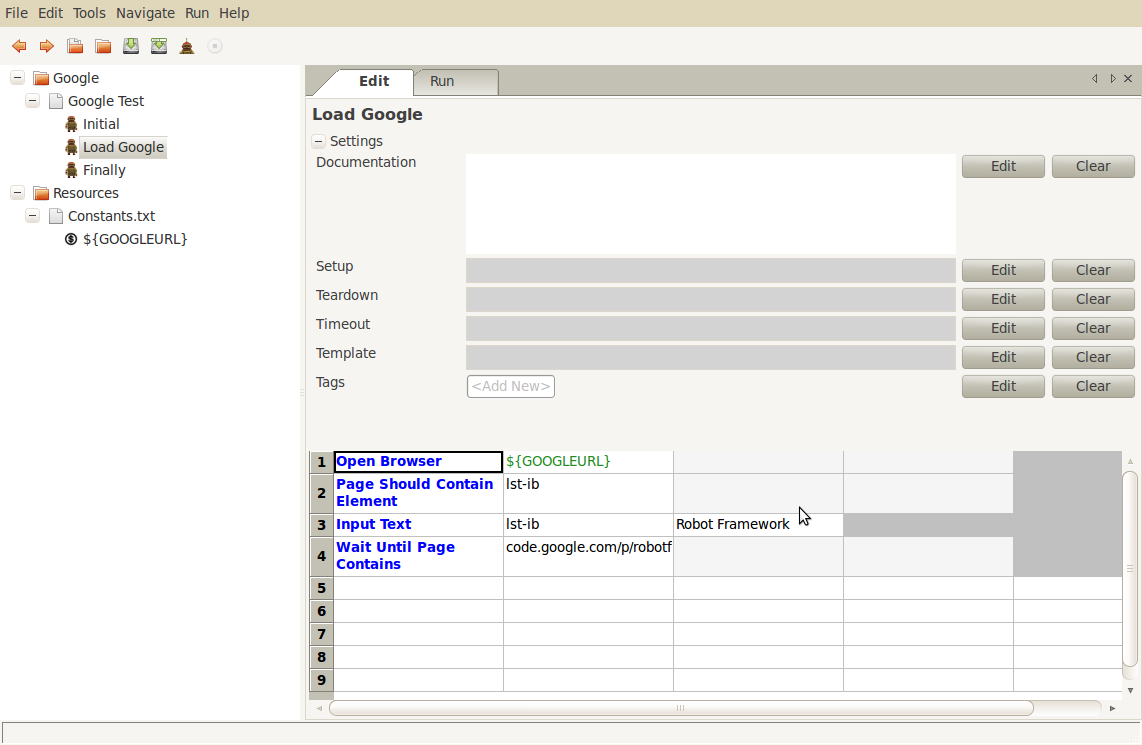
1. We need to start the Selinum Server: The keyword to do this is – surprise – Start Selenium Server. Add this to your initial test case.
Start Selenium Server
2. Then we’re going to visit Google in Firefox:
Open Browser ${GOOGLEURL}
3. Let’s wait until the search field is present. The id of the input field is ‘lst-ib’:
Page Should Contain Element lst-ib
According to the Selenium Library Documentation the identifier may be the id of an element, its XPath locator etc.
4. Now fill the field with “Robot Framework”:
Input Text lst-ib Robot Framework
5. Wait for the page to contain “code.google.com/p/robotframework/”
Wait Until Page Contains code.google.com/p/robotframework/
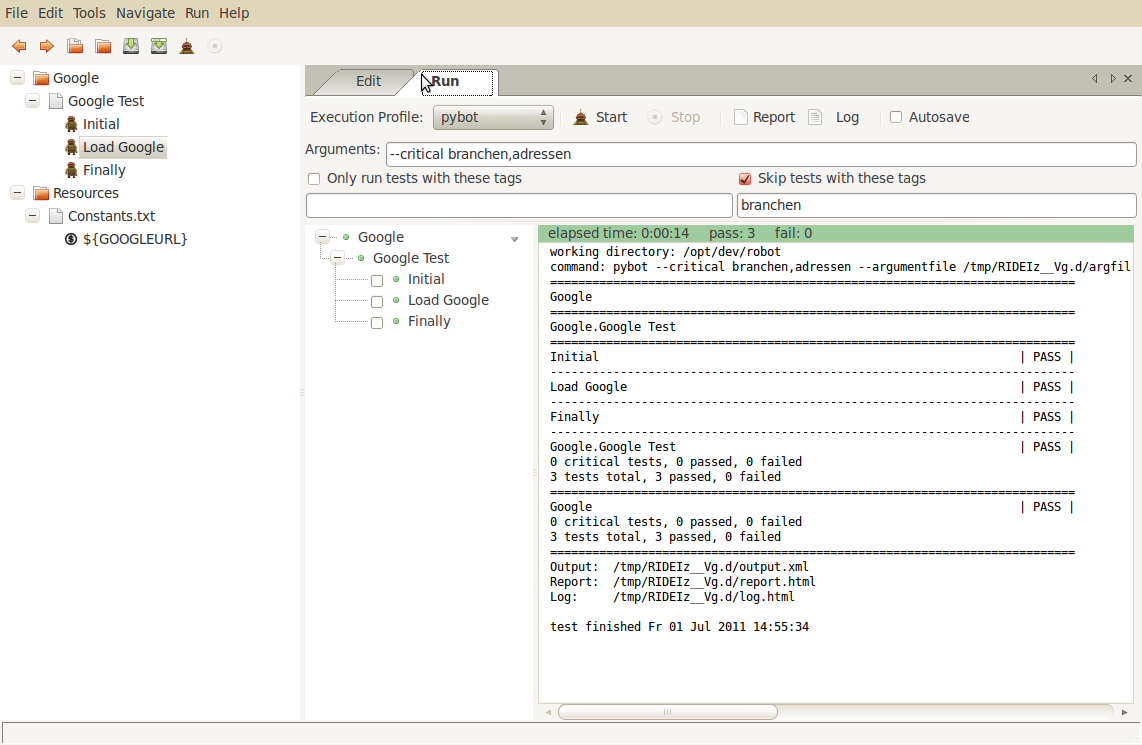
We’re now ready to run the test. To do so, we hit the small brown “run” icon in the tool bar and we’ll see: it works just fine 🙂
Test successfully completed
Enhancements
Robot creates a log and report for each test-run. If a test fails, a screenshot is being created and integrated into the html report. You are, of course, able to trigger the creation of screenshots or source code logging. Also, using the Wait For Condition keywords you are able to run an almost unlimited amount of JavaScript based tests on your website. Have a look at the Selenium docs – there is a huge amount of keywords to be used.
An easy to use testing tool
Robot is a nice and easy to use tool – we’re not using it to integrate into CI. We’re just running stand-alone tests. But it’s really handy when it comes to handle a huge number of test cases: For example we were testing the behaviour of search functionality of one of our websites. With robot I was able to fire hundreds of request against the search and get screenshots in return for further manual investigation. Also we’re using it to autmatically test dependencies of our content trees in huge navigational structures. For this kind of test Robot is perfectly suited.
We’re now using Trac along TracPrinter for a couple of weeks now and have a pleasant new feature which will evolve during the upcoming weeks:
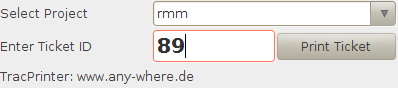
You are now able to place QR codes on your ticket prints to allow closing them using your smart phone. This is currently really just a simple feature: A small php script which needs to have access to the Trac database, simply takes a project name for database connection and a ticket and sets its status to closed / resolved. In the future I’ll add a nice mobile interface to allow adding comments / changing status etc. The configuration is quite simple: You just need to add the URL of the webserver running the script to your printer.properties file and configure your projects in the ticket_closer.php script if the project name differs from your database name. That’s it. Maybe somebody will love this feature just as I do!
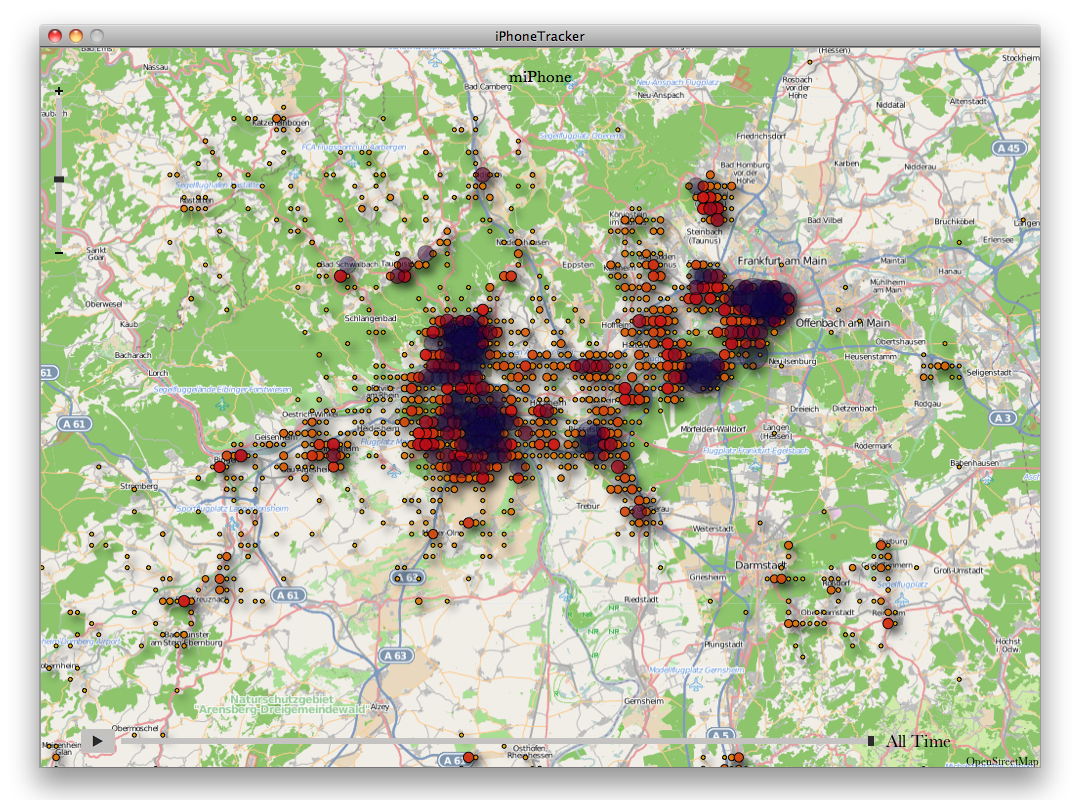
If you’re a proud owner of an iPhone or iPad just like me, you might find it pretty interesting to know that these fancy devices store location based data. I don’t want to start a discussion about security and integrity of this method but if you want to have a look at what data is being stored, you can. On the O’Reilly radar there is a post about a little tool written by Pete Warden which allows you to create a graphical presentation of all the places you’ve been and brought your iPhone to. Seems like a whole lot of data is being stored as you can see on the screenshot below:
If you are using Trac and Scrum, you might have come to the point where you want to easily print ticket cards for your Scrum / Kanban board. At least, this is what happened to me. So, I created a little Java-tool to easily print Scrum / Kanban Ticket Cards.
There is some documentation in the wiki. Basically you may configure the tool in several ways:
define, which field of the ticket will be displayed on the card
define sizes, paddings, distances, …
It is possible to run the tool either as a stand-alone application or as a Java applet on your web-environment.
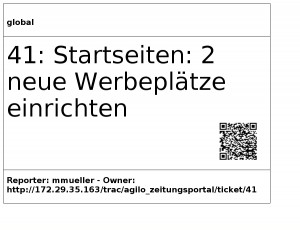
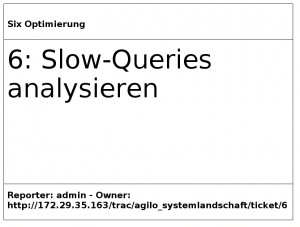
This is what a ticket card will look like: In my exampe, it shows the name of the sprint in the header area, the ticket number and summary in the content area below and some information about the reporter, owner and URL in Trac.
Ein schneller Lesetipp zum Thema “Stimmung im Team”:
Wie man diese ganz schnell und unkompliziert einfangen und evtl. dann auf sie einwirken kann, zeigt der Artikel Teamstimmung sichtbar machen bei projekt-log.de. Finde ich eine schöne und nützliche Idee.
Hier mal ein Sammlung von Artikeln über Scrum und Kanban, über welche ich in den letzten Wochen gestolpert bin. Alle lesens-, hörens- oder sehenswert. Weder ist sie sortiert noch hat sie Anspruch auf Vollständigkeit. Vielleicht aber ist für den einen oder anderen ja was interessantes dabei. Wer noch etwas hinzufügen will, darf dies gerne in den Kommentaren tun.
Die vierte Frage im Daily Scrum: mit einer Frage nach der Risikoeinschätzung der Goalerreichung eines jeden Entwicklers kann man schnell Impeditments identifizieren – http://www.projekt-log.de/allgemein/die-vierte-frage/
Wie kann man Kanban und Scrum effektiv nutzen? Hier gibt es ein Buch zum Download. Es behandelt die Gemeinsamkeiten von Scrum und Kanban – sehr interessant, wenn man sowohl den Betrieb und Wartung bestehender Anwendungen als auch die Entwicklung neuer Produkte im Portfolio hat. Echt ein gutes Buch. – http://www.infoq.com/minibooks/kanban-scrum-minibook
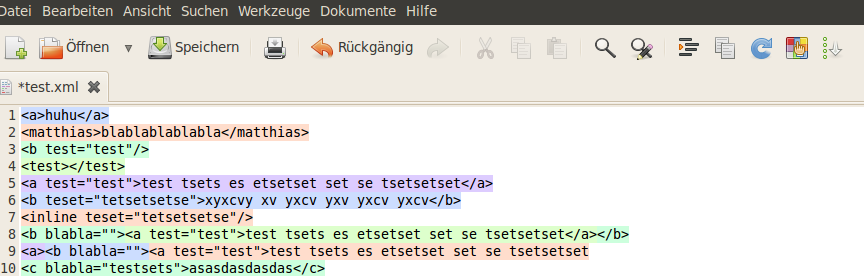
First of all: Thanks to all folks using my Gedittools plug-in for Gedit! All the mails and comments and download stats show that I was not the only guy looking for missing functionality in Gedit. During the past week or so I found some time to improve the XML-highlighting mechanism for Gedittool:
In fact, I re-designed and implemented the algorithm to find and highlight XML-tags from scratch. It is now much faster in searching and highlighting.
All other features like
– counting search results
– highlighting marked words throughout the document
– integrating a meld-interface to compare / diff opened files
So, jetzt muss ich nicht mehr zurück ins Büro, wenn noch was dringendes ansteht und ich schon auf dem Weg nach Hause bin: Jetzt mach ich das übers iPhone, bzw. iPad. Denn für beide Geräte gibt es nun den TeamViewer als App zum Download. Für Privatanwender ist die Lizenz sogar kostenlos, für Unternehmen soll die Lizenz laut Golem ab 80 EUR kosten.
Es funktioniert erstaunlich flüssig und erlaubt alle Mausaktionen mit einfach zu lernenden Gesten. Die Verbindung über UMTS ist aber doch recht langsam, zumindest in meinen ersten Tests. Die Maus auf meinem Laptop bewegte sich ziemlich verzögert, während mein iPhone den Zeiger bereits an der richtigen Position wähnte. Im WLAN sieht das sicher anders aus.